Start with the conversation
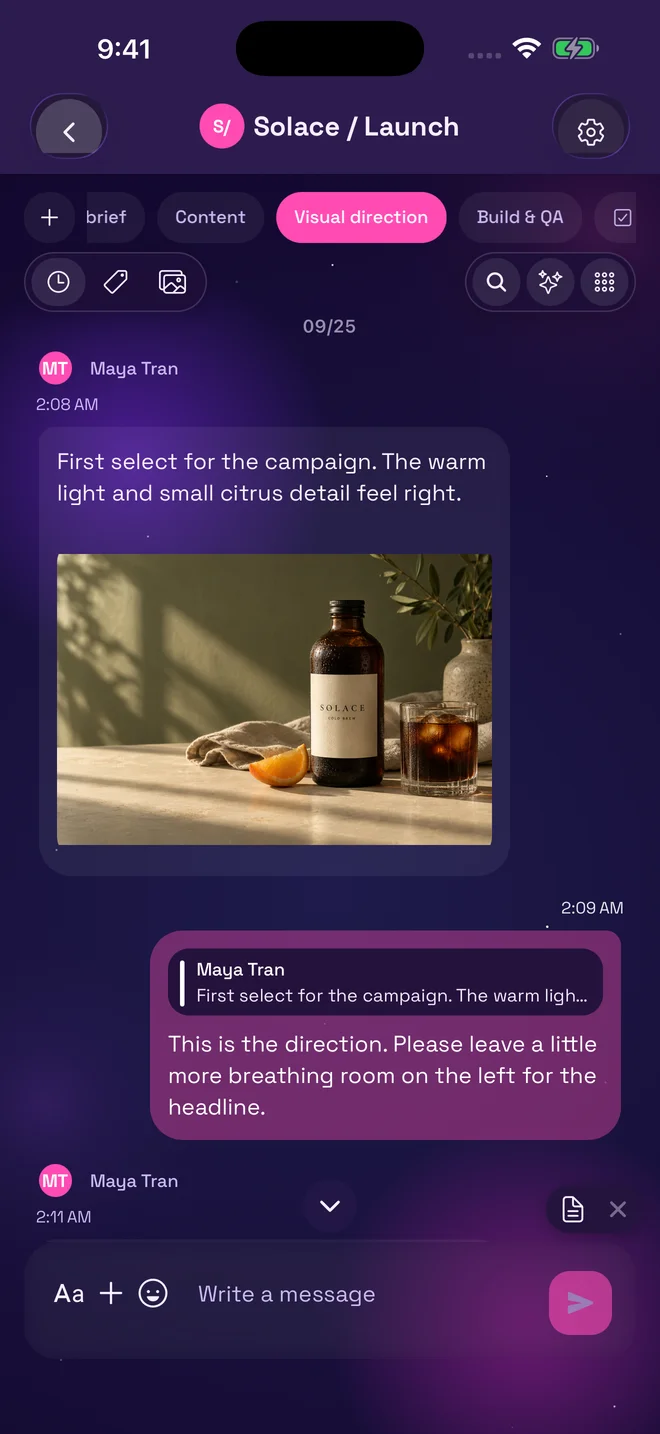
Maya shares the first photo. An replies beside the reference. A topic gives the creative discussion its own space.
For you, your team, and AI
The conversation. The brief. The next step.
Finally, in the same place.
Available as a Web app Google Play App Store
Start with a private note or a conversation. No AI setup needed.
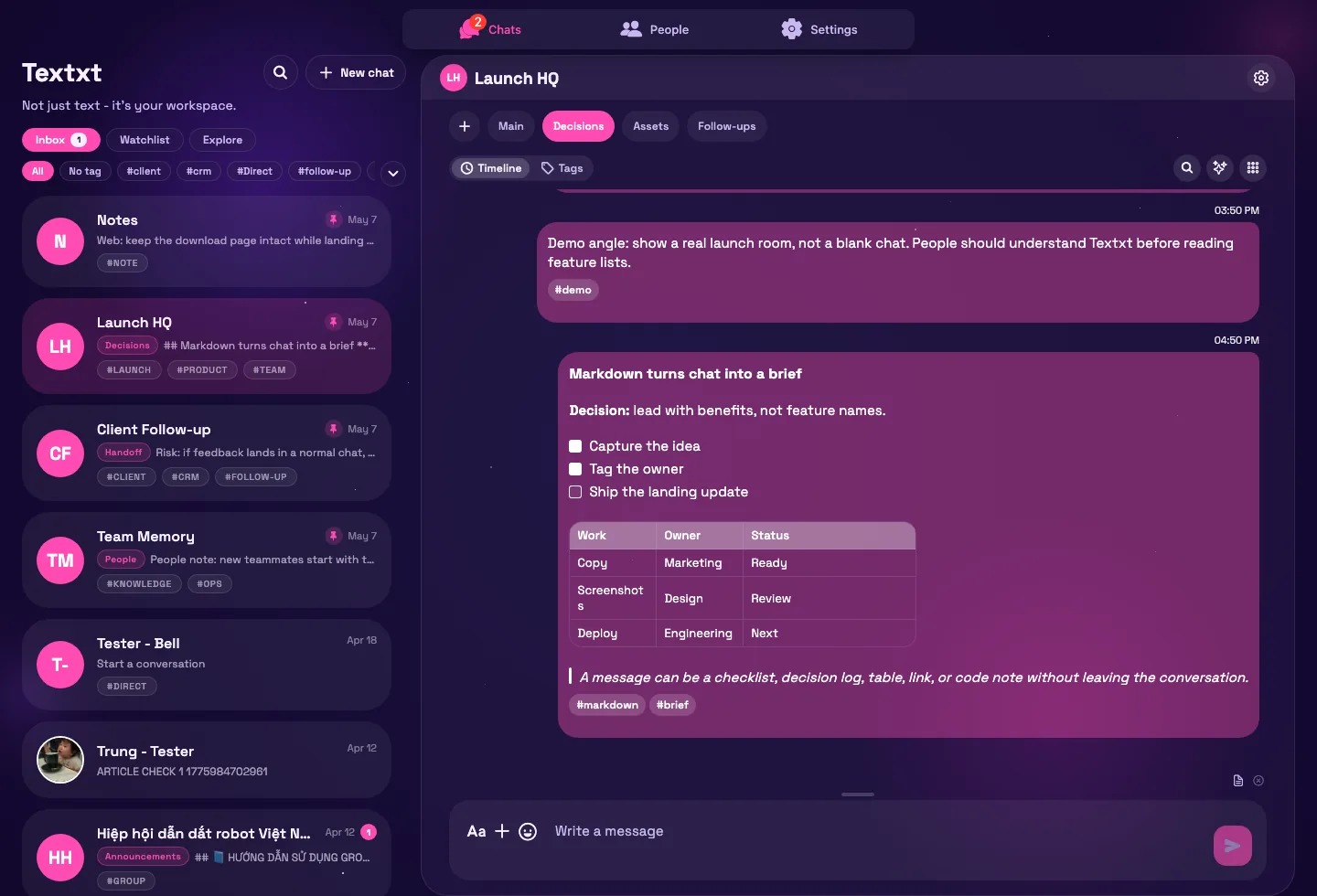
Real Textxt screens. One fictional team. A launch coming together.
See the difference
Follow An and the Lumen team
from first thought to next step.
Meet Textxt. Where your conversations become the work. Every project gets its own chat, and every thread its own topic. The brief. The visuals. The feedback. Write in Markdown, and a message becomes a brief. Headings, tables, and decisions, right where the work happens. Turn the next step into a task. Give it an owner. It remembers exactly where it came from. Ask AI Assistant about your work. It reads the topic, answers clearly, and shows you the sources. The Feed keeps you close to your people. Follow along, and share what's worth sharing. And your work comes with you, at your desk or on the go. Textxt. Make room for your next idea.
How it works
Meet An, a creative team lead preparing a launch. Here is how the work comes together.
Maya shares the first photo. An replies beside the reference. A topic gives the creative discussion its own space.
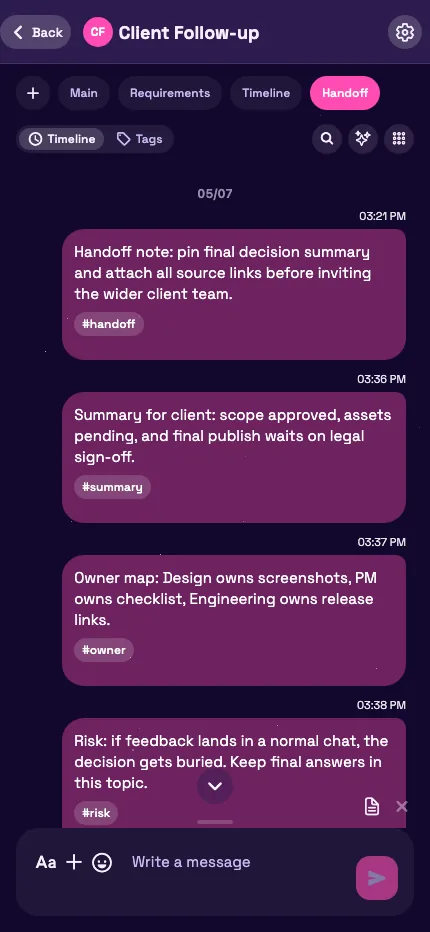
The brief becomes a formatted message. The decision stays pinned. The next step becomes a task, not another thing to remember.
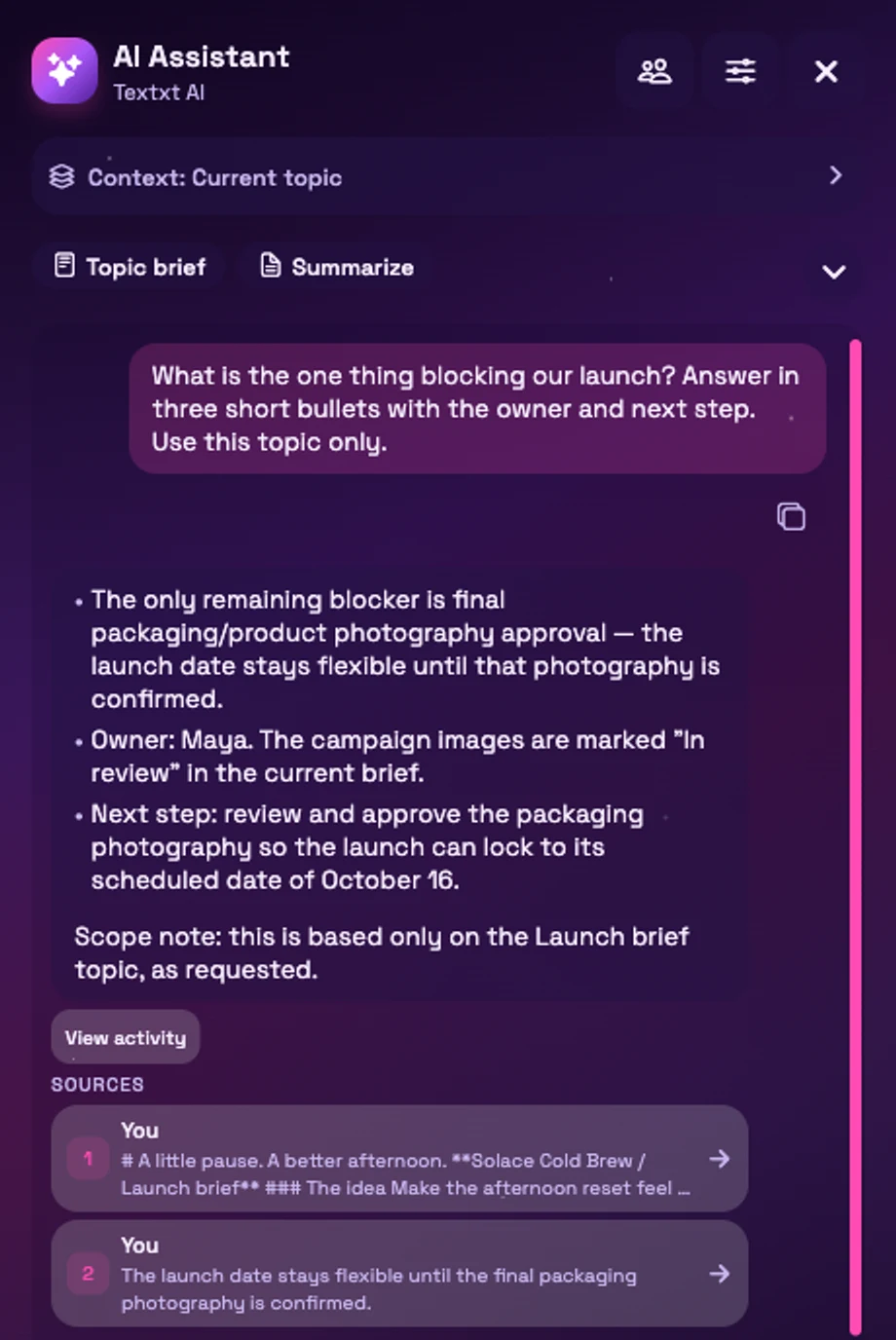
What is blocking the launch? Ask with the relevant context, check the sources, and approve changes before they run.
Product
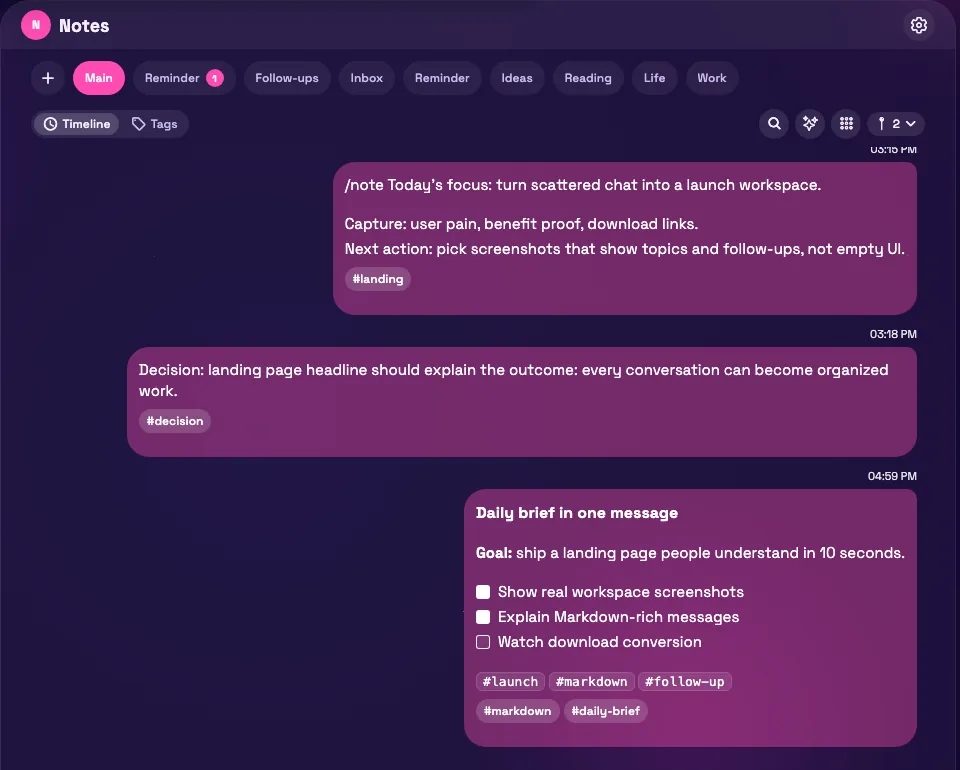
A place for personal ideas, shared projects, and the details you need to find again.
Notes & knowledge
Use headings, checklists, tables, code, and formulas. Keep reference files beside your notes, not scattered across another conversation.
Chats & topics
Separate subjects into topics inside a chat. Organize chats with personal labels, then search for the message you need.
Tasks & reminders
Track tasks with owners and due dates. Attach reminders to messages so you can return to the original details when it is time to act.
AI, with context
Use Textxt AI to summarize a topic, draft a reply, or propose tasks using permitted conversation context. Follow citations back to the source.
For repeatable work, configure an Agent, test it, and publish it. Automations can start supported workflows from events or schedules; review progress and approvals along the way.
Learn how Textxt AI worksActual Assistant response · demo workspace
Share & connect
Choose what stays in your workspace and what you share beyond it.
Publish a note with a public link. Readers do not need an account, and edits to the original stay reflected in the shared message.
Public links can be viewed by anyone and may be indexed by search engines. Share only what you intend to make public.
Share a topic with viewer or editor access. Bring the relevant conversation to the people who need it, within its access rules.
Follow profiles, discover posts in Network / Feed, and continue the conversation in chat. Keep private conversations separate from what you publish.
Explore Network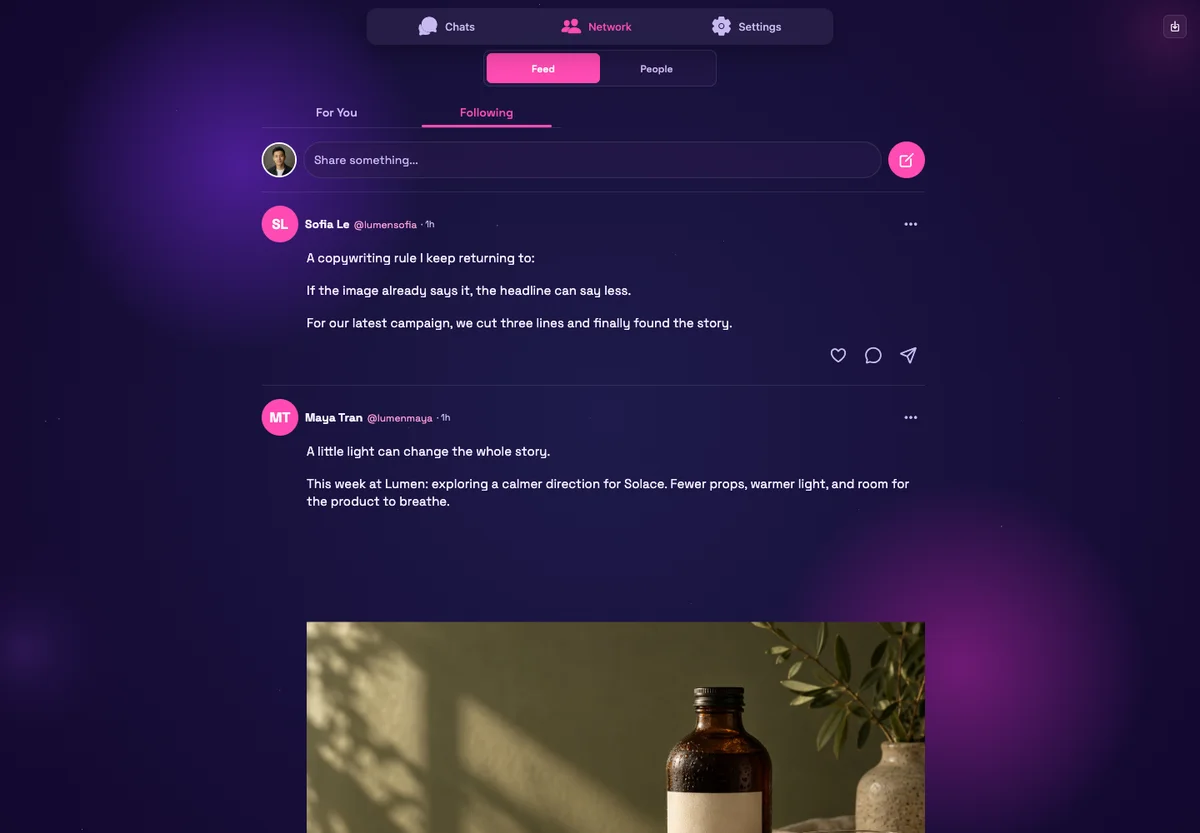
Tools & Mini Apps
Open a browser tool for a focused job, or use a compatible Mini App inside a chat and bring its results into the conversation.
Tool links open in a new tab. Availability, sign-in requirements, and limits vary by tool.
Use the public SDK, starter, and simulator to build a Mini App. Publish through the submission and review process.
Before you start
Yes. Use Notes for your own ideas, files, and checklists, or start a conversation with someone else. Messaging and organization do not require an AI provider.
Starter is the baseline for chats, topics, notes, tasks, and reminders. Upload and storage limits apply. AI services and some tools have separate usage limits or TXT credit charges; check the service and your account before using them. This page does not offer a paid subscription checkout.
Pro is in controlled rollout and Team is a pilot, not generally available subscriptions. View Team pricing or check Settings for the plan and limits available to your account.
Textxt is available on web, Android, and iOS. New management screens may reach the web first. Mini Apps depend on compatible app versions and permissions; use the latest app and check the feature in your account.
AI uses permitted, bounded context, not unrestricted access to your workspace. Supported files, available providers, and configured tools affect what it can do. Review sources and proposed actions; AI responses can be wrong. Assistant changes and external Agent actions require approval.
Read about access and safety